Streaming Real-Time Stock Market Data with Shoonya API and Java: Complete WebSocket Guide
02 Sep 2026
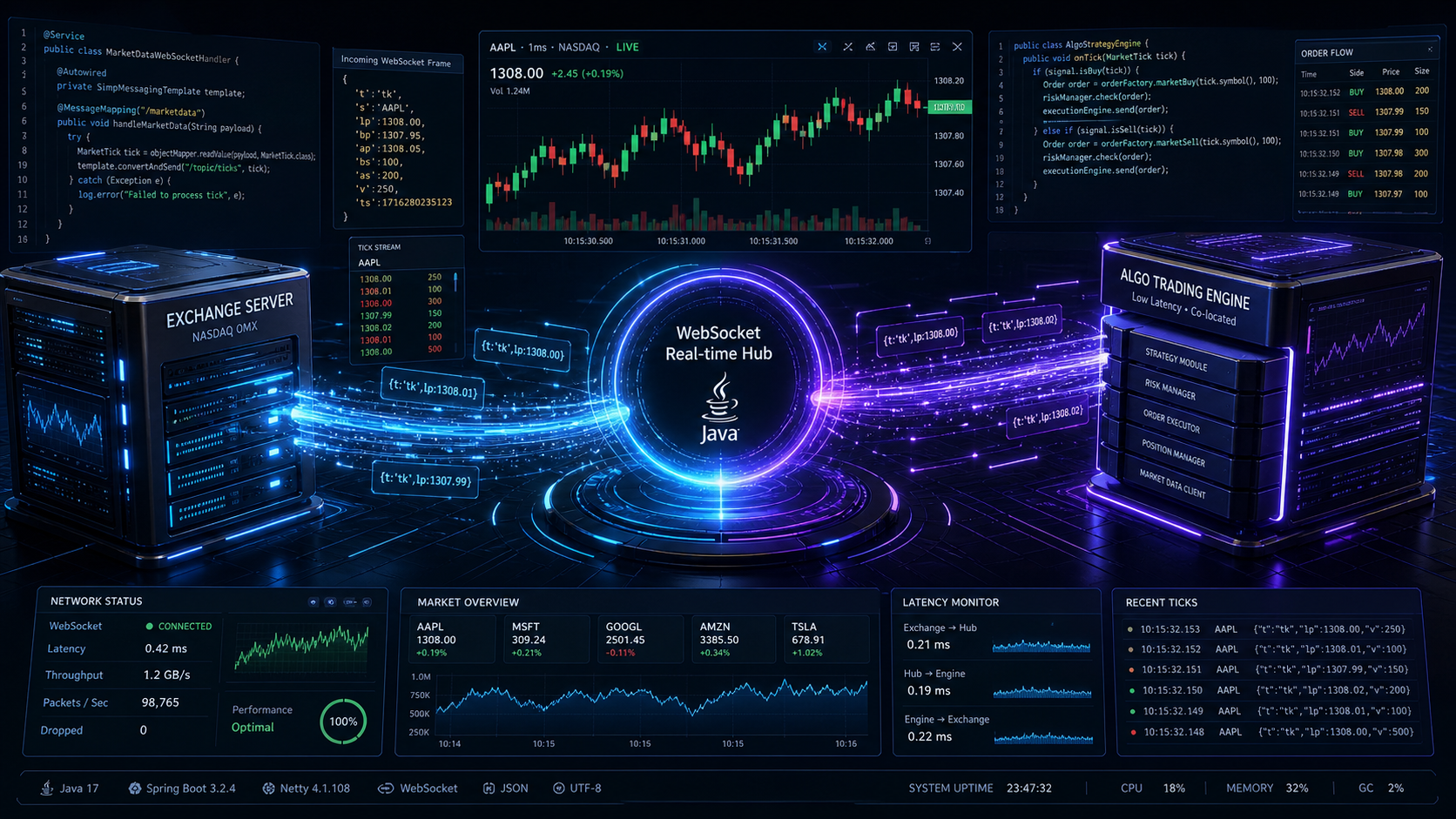 (Architectural blueprint of real-time market data streaming using Shoonya WebSocket API in Java)
(Image generated by AI)
Introduction: Why WebSockets Matter for Algorithmic Trading
In financial markets, timing is everything. On Indian stock exchanges like the NSE (National Stock Exchange) and BSE (Bombay Stock Exchange), stock prices, order book depths, and trade volumes fluctuate hundreds of times per second.
If you are developing an algorithmic trading system, you need access to these live price changes—known as market ticks—as quickly and reliably as possible.
Many developers starting their algorithmic trading journey begin by repeatedly querying REST API endpoints (a technique called polling):
+--------------------------------------------------------------------------------+
|                          REST POLLING VS. WEBSOCKETS                           |
+--------------------------------------------------------------------------------+
|                                                                                |
|  1. REST Polling (High Overhead, High Latency)                                 |
|     Client  ---> HTTP GET /quote?symbol=RELIANCE ---> Broker (New TCP)         |
|     Client  <--- 200 OK {"lp": 1308.00} <------------ Broker (Tear Down TCP)   |
|     (Repeated every second: high network overhead, broker rate limits hit!)    |
|                                                                                |
|  2. WebSocket Streaming (Zero Overhead, Sub-Millisecond Latency)               |
|     Client  ---> Single TCP Handshake (HTTP 101 Upgrade) ---> Broker           |
|     Client  <=== Persistent Full-Duplex Bi-directional Stream ====> Broker     |
|     Broker  ---> Push Tick 1 (LTP: 1308.00) ----------------> Client           |
|     Broker  ---> Push Tick 2 (LTP: 1308.05) ----------------> Client           |
|     Broker  ---> Push Tick 3 (LTP: 1307.95) ----------------> Client           |
|                                                                                |
+--------------------------------------------------------------------------------+
With HTTP polling:
- Each request incurs the latency of a brand-new HTTP transaction and TLS handshake.
- You constantly hit broker rate limits (e.g., 10 requests per second), leading to HTTP
429 Too Many Requests. - You waste CPU cycles and network bandwidth asking for updates even when the price has not moved.
- You miss transient price spikes and liquidity shifts that happen between polling intervals.
WebSockets solve this completely. With WebSockets, your Java application establishes a single, persistent TCP connection to the broker’s streaming server. Once connected and authenticated, the broker’s Order Management System (OMS) pushes price ticks to your application the very instant a trade occurs at the exchange.
Among Indian stockbrokers offering zero brokerage and free API access, Shoonya by Finvasia is a premier choice. However, connecting to Shoonya’s WebSocket feed in Java is notorious for causing head-scratching issues. Developers frequently report that their REST login succeeds, tokens are generated, the TCP connection opens, but zero ticks arrive, the socket silently hangs, or the broker backend abruptly drops the connection with errors like:
{"t":"ck","s":"NOT_OK"}
followed by an immediate socket disconnect:
code=1008 (Policy Violation)
In this comprehensive guide, we will break down the inner workings of the Shoonya WebSocket protocol (detailed in the Official Shoonya API Documentation as the Noren OMS streaming protocol), analyze the three silent failure modes that break client applications, and build a robust, production-grade Java client from scratch.
The 3 Silent Failure Modes (Why Most Implementations Fail)
Through rigorous empirical packet testing on live production market feeds, we uncovered three distinct architectural traps that cause Shoonya WebSocket feeds to fail:
+------------------------------------------------------------------------------------------------------+
|                                   SHOONYA WEBSOCKET FAILURE MODES                                    |
+--------------------+------------------------------------------+--------------------------------------+
| Failure Mode       | Root Cause                               | Resulting Symptom                    |
+--------------------+------------------------------------------+--------------------------------------+
| 1. Gateway Trap    | Connecting to legacy NorenWSTP endpoint  | TCP connects, but server sends 0 B.  |
| 2. Payload Trap    | Sending "t":"c" or "susertoken"          | Server returns {"t":"ck","s":"NOT_OK"}|
| 3. Protocol Race   | Subscribing before handshake confirmed   | Server terminates with code 1008.    |
+--------------------+------------------------------------------+--------------------------------------+
Let’s examine each failure mode in detail so you can understand what happens under the hood.
Failure Mode 1: The “Black Hole” Gateway (NorenWSTP vs. NorenWSAPI)
When searching online forums or historical open-source repositories, you will encounter two different WebSocket URLs for Shoonya:
-
wss://api.shoonya.com/NorenWSTP/(Legacy Touchline Gateway) -
wss://api.shoonya.com/NorenWSAPI/(Modern OMS Streaming Gateway)
The Trap: If you connect to NorenWSTP, the TCP connection and HTTP 101 Switching Protocols handshake succeed without any error. Your Java client’s socket.isOpen() method will return true.
However, NorenWSTP is an older gateway that does not recognize modern OAuth access tokens. It will accept your incoming bytes, but it will never respond. No acknowledgment packet arrives, no error message is returned, and no market data is streamed. It behaves like a network black hole.
The Golden Rule: Always connect to the modern, verified streaming gateway:
wss://api.shoonya.com/NorenWSAPI/
Failure Mode 2: The Deprecated Authentication Payload ("t":"c" vs. "t":"a")
Once your WebSocket connection opens, you must send an authentication packet. In legacy documentation, the recommended payload was:
{
  "t": "c",
  "uid": "YOUR_USER_ID",
  "actid": "YOUR_USER_ID",
  "susertoken": "YOUR_SESSION_TOKEN",
  "source": "API"
}
If you send this payload today, the broker’s gateway will immediately reject your session:
{"t":"ck","s":"NOT_OK"}
Why does this happen? The field "t" represents the task code. Historically, "c" stood for “Connect”. On the updated Noren OMS gateway, the task code for authenticating an API session has been transitioned to "a" (Authorize), and the field name for the token has been standardized from "susertoken" to "accesstoken".
Live Production Empirical Diagnostic Matrix
To verify the exact payload requirements, we tested all parameter permutations against the live Shoonya production environment:
| Endpoint | Task (t) | Token Key Field | Token Value Format | Resulting Broker Response |
|---|---|---|---|---|
NorenWSAPI | "c" | susertoken | Raw Session Token |
{"t":"ck","s":"NOT_OK"} ❌ |
NorenWSAPI | "c" | susertoken | SHA-256 Hashed Token |
{"t":"ck","s":"NOT_OK"} ❌ |
NorenWSAPI | "c" | accesstoken | Raw Session Token | Connection Dropped (Null) ❌ |
NorenWSAPI | "a" | susertoken | Raw Session Token | Connection Dropped (Null) ❌ |
NorenWSAPI | "a" | accesstoken | Raw Session Token | {"t":"ak","s":"OK"} ✅ |
The Working Authentication Payload:
{
  "t": "a",
  "uid": "YOUR_USER_ID",
  "actid": "YOUR_USER_ID",
  "accesstoken": "YOUR_SESSION_TOKEN",
  "source": "API"
}
When properly formatted, the broker validates your token and responds with an authorization acknowledgment:
{"t": "ak", "s": "OK", "uid": "YOUR_USER_ID"}
Failure Mode 3: Asynchronous Protocol Race Condition (Premature Subscriptions)
This is the most common bug written by Java developers who are new to event-driven network programming.
Consider this common code snippet:
// ❌ ANTI-PATTERN: Sending subscription requests inside onOpen()
@Override
public void onOpen(ServerHandshake handshake) {
    // Step 1: Send Auth
    send(authJsonPayload);

    // Step 2: Immediately request symbol subscriptions
    send("{\"t\":\"t\",\"k\":\"NSE|2885\"}"); // Reliance Industries
    send("{\"t\":\"t\",\"k\":\"NSE|1333\"}"); // HDFC Bank
}
Why This Breaks
WebSocket communication is asynchronous. When your client triggers onOpen(), the TCP transport layer is ready, but your session is still unauthenticated on the broker’s OMS backend.
When you dispatch subscription packets ("t":"t") immediately after sending the auth JSON, those packets reach the broker while the gateway is still processing your credentials.
Because the session is not yet authenticated, the broker’s security gateway treats the incoming subscription as unauthorized traffic. It raises a SEBI/Broker Security Policy Violation and immediately terminates the socket:
WebSocket Connection Closed: code=1008 (Policy Violation), reason=Unauthorized
The Solution: A Strict State Machine
To guarantee reliable streaming, your client must follow a strict, event-driven state sequence:
-
Inside
onOpen(): Transmit only the authentication packet. Do not send any subscription requests. - Buffer Watchlist Keys: Store your desired instruments in a thread-safe set in memory.
-
Inside
onMessage(): Inspect incoming JSON. Wait until you receive{"t":"ak","s":"OK"}. - Dispatch Subscriptions: Only after the broker confirms authentication do you flush your queued subscription packets to the wire.
The Single-Socket Concurrency Constraint
Before diving into code, there is an administrative constraint you must know:
Shoonya enforces a strict limit of ONE active WebSocket connection per User ID.
If your User ID already has an open WebSocket session, any new connection will either be refused or will cause the broker to silently discard streaming ticks.
Common scenarios where developers accidentally violate this rule:
- The Official Web Trading Portal is open: Having trade.shoonya.com open in a browser tab maintains an active market data socket.
- The Mobile App is running in the background: The Shoonya Android or iOS app frequently maintains an active socket session.
- An orphaned Java or Python process is still running: If you ran an earlier test script and stopped it abruptly inside your IDE without closing the socket, the JVM process might still be running in the background.
How to Clean Up Orphaned Sessions
Before launching your Java market data engine, ensure no stale Java processes are holding onto the connection.
On Windows (PowerShell):
# Check for existing Java processes
Get-Process -Name java -ErrorAction SilentlyContinue

# Terminate orphaned instances if necessary
Stop-Process -Name java -Force -ErrorAction SilentlyContinue
On macOS / Linux:
killall -9 java
Understanding Shoonya Market Packets
Shoonya’s WebSocket protocol uses compact JSON packets designed for high throughput and low bandwidth. Here are the primary message types your client will handle:
1. The Touchline Subscription Request ("t":"t")
To subscribe to real-time price updates for a stock or index, send a packet with task "t" set to "t" (Touchline) and key "k" formatted as EXCHANGE|TOKEN:
{
  "t": "t",
  "k": "NSE|2885"
}
Note: In the Indian market, 2885 is the official exchange token for Reliance Industries (RELIANCE) on the National Stock Exchange (NSE).
2. The Initial Touchline Snapshot ("t":"tk")
Immediately after subscribing to a valid instrument, the broker responds with a full touchline snapshot packet ("tk"):
{
  "t": "tk",
  "e": "NSE",
  "tk": "2885",
  "ts": "RELIANCE-EQ",
  "pp": "2",
  "ls": "1",
  "ti": "0.05",
  "lp": "1308.00",
  "pc": "0.45",
  "v": "2493611",
  "o": "1300.00",
  "h": "1314.50",
  "l": "1298.10",
  "c": "1302.10",
  "ap": "1307.25"
}
Key fields in the snapshot packet:
-
tk: Exchange Token ID. -
ts: Trading Symbol (e.g.,RELIANCE-EQ). -
lp: Last Traded Price (LTP). -
pc: Percentage Change since yesterday’s close. -
v: Total Cumulative Traded Volume for the day. -
o,h,l,c: Open, High, Low, and Previous Day Close prices. -
ap: Average Traded Price (VWAP).
3. Real-Time Tick Feeds ("t":"tf")
As subsequent trades occur at the exchange, the broker does not re-send the full snapshot. Instead, it streams lightweight delta packets ("tf" for Touchline Feed) containing only the fields that changed:
{
  "t": "tf",
  "e": "NSE",
  "tk": "2885",
  "lp": "1308.25",
  "v": "2493850"
}
4. Heartbeat Keep-Alive ("t":"h")
To prevent stateful network routers, NAT firewalls, and broker load balancers from terminating idle connections, you must send a lightweight heartbeat ping every 10 to 15 seconds:
{
  "t": "h"
}
End-to-End WebSocket Lifecycle Sequence
Here is how the complete communication flow unfolds between your Java trading application and Shoonya’s OMS backend:
Building the Production Java Client
Now let’s build a complete, resilient market data streaming client in pure Java 17+ (compatible with Java 21+).
Project Dependencies
We will use two standard, lightweight libraries:
-
Java-WebSocket: A fast, pure-Java WebSocket implementation with zero external transport dependencies (see the Java-WebSocket GitHub Repository). -
Jackson Databind: High-performance JSON parser for reading and writing protocol packets.
(Note: If you are cross-referencing Finvasia’s official Java repository, you can also inspect the ShoonyaApi-java GitHub repository).
Maven Configuration (pom.xml)
<dependencies>
    <!-- Java WebSocket Client Library -->
    <dependency>
        <groupId>org.java-websocket</groupId>
        <artifactId>Java-WebSocket</artifactId>
        <version>1.5.7</version>
    </dependency>

    <!-- Jackson JSON Processing -->
    <dependency>
        <groupId>com.fasterxml.jackson.core</groupId>
        <artifactId>jackson-databind</artifactId>
        <version>2.17.2</version>
    </dependency>

    <!-- SLF4J Logging API -->
    <dependency>
        <groupId>org.slf4j</groupId>
        <artifactId>slf4j-api</artifactId>
        <version>2.0.13</version>
    </dependency>
    <dependency>
        <groupId>ch.qos.logback</groupId>
        <artifactId>logback-classic</artifactId>
        <version>1.5.6</version>
    </dependency>
</dependencies>
Gradle Configuration (build.gradle)
dependencies {
    implementation 'org.java-websocket:Java-WebSocket:1.5.7'
    implementation 'com.fasterxml.jackson.core:jackson-databind:2.17.2'
    implementation 'org.slf4j:slf4j-api:2.0.13'
    implementation 'ch.qos.logback:logback-classic:1.5.6'
}
The Complete Java Implementation
Here is the full implementation of ShoonyaMarketDataClient.java:
package com.thoughtstopen.trading.marketdata;

import com.fasterxml.jackson.databind.JsonNode;
import com.fasterxml.jackson.databind.ObjectMapper;
import org.java_websocket.client.WebSocketClient;
import org.java_websocket.handshake.ServerHandshake;
import org.slf4j.Logger;
import org.slf4j.LoggerFactory;

import java.net.URI;
import java.util.HashMap;
import java.util.Map;
import java.util.Set;
import java.util.concurrent.ConcurrentHashMap;
import java.util.concurrent.Executors;
import java.util.concurrent.ScheduledExecutorService;
import java.util.concurrent.TimeUnit;
import java.util.concurrent.atomic.AtomicBoolean;

/**
 * Production-ready Shoonya (Finvasia) WebSocket client adhering to the
 * verified NorenWSAPI protocol, sequenced state validation, and resilient
 * auto-reconnection mechanics.
 */
public class ShoonyaMarketDataClient {

    private static final Logger log = LoggerFactory.getLogger(ShoonyaMarketDataClient.class);

    // Official production WebSocket streaming endpoint
    public static final String OFFICIAL_WS_URL = "wss://api.shoonya.com/NorenWSAPI/";

    private final String userId;
    private final String accessToken;
    private final ObjectMapper objectMapper = new ObjectMapper();

    // Thread-safe set of instruments to track across reconnects (Format: EXCHANGE|TOKEN)
    private final Set<String> subscribedSymbols = ConcurrentHashMap.newKeySet();

    // State flags
    private final AtomicBoolean sessionAuthenticated = new AtomicBoolean(false);
    private final AtomicBoolean isClosedExplicitly = new AtomicBoolean(false);

    // Background executor for heartbeats and reconnection scheduling
    private final ScheduledExecutorService scheduler = Executors.newScheduledThreadPool(2);

    private InnerWebSocketClient socketClient;

    public ShoonyaMarketDataClient(String userId, String accessToken) {
        if (userId == null || userId.isBlank()) {
            throw new IllegalArgumentException("User ID cannot be null or blank");
        }
        if (accessToken == null || accessToken.isBlank()) {
            throw new IllegalArgumentException("Access token cannot be null or blank");
        }
        this.userId = userId;
        this.accessToken = accessToken;
    }

    /**
     * Establishes connection to the Shoonya streaming gateway.
     */
    public synchronized void connect() throws Exception {
        if (socketClient != null && socketClient.isOpen()) {
            log.warn("WebSocket is already connected.");
            return;
        }

        isClosedExplicitly.set(false);
        sessionAuthenticated.set(false);

        log.info("Opening WebSocket connection to {}", OFFICIAL_WS_URL);
        socketClient = new InnerWebSocketClient(URI.create(OFFICIAL_WS_URL));

        // Connect synchronously with a 10-second timeout
        boolean connected = socketClient.connectBlocking(10, TimeUnit.SECONDS);
        if (!connected) {
            throw new IllegalStateException("Failed to establish WebSocket TCP connection within timeout.");
        }

        // Schedule periodic keep-alive heartbeat ping every 10 seconds
        scheduler.scheduleAtFixedRate(() -> {
            try {
                if (socketClient != null && socketClient.isOpen() && sessionAuthenticated.get()) {
                    socketClient.send("{\"t\":\"h\"}");
                    log.trace("Dispatched heartbeat ping");
                }
            } catch (Exception e) {
                log.error("Error sending heartbeat", e);
            }
        }, 10, 10, TimeUnit.SECONDS);
    }

    /**
     * Subscribes to touchline updates for an instrument.
     * If the session is already authenticated, the packet is sent immediately.
     * Otherwise, the key is saved and dispatched automatically upon handshake confirmation.
     *
     * @param exchange The market segment ("NSE", "BSE", "NFO", "MCX")
     * @param token    The numeric exchange token (e.g. "2885" for Reliance)
     */
    public void subscribe(String exchange, String token) {
        String instrumentKey = exchange.trim().toUpperCase() + "|" + token.trim();
        subscribedSymbols.add(instrumentKey);

        if (sessionAuthenticated.get() && socketClient != null && socketClient.isOpen()) {
            sendSubscriptionPacket(instrumentKey);
        } else {
            log.info("Session not yet authenticated. Queued {} for post-handshake subscription.", instrumentKey);
        }
    }

    private void sendSubscriptionPacket(String instrumentKey) {
        try {
            Map<String, String> packet = Map.of(
                    "t", "t",
                    "k", instrumentKey
            );
            String json = objectMapper.writeValueAsString(packet);
            socketClient.send(json);
            log.info("Dispatched touchline subscription for {}", instrumentKey);
        } catch (Exception e) {
            log.error("Failed to send subscription packet for {}", instrumentKey, e);
        }
    }

    /**
     * Gracefully terminates the WebSocket session and shuts down background executors.
     */
    public synchronized void disconnect() {
        isClosedExplicitly.set(true);
        sessionAuthenticated.set(false);

        if (socketClient != null) {
            try {
                socketClient.close();
            } catch (Exception e) {
                log.warn("Error while closing WebSocket client", e);
            }
        }
        scheduler.shutdownNow();
        log.info("Shoonya WebSocket client cleanly disconnected.");
    }

    /**
     * Internal WebSocket listener managing network events and protocol transitions.
     */
    private class InnerWebSocketClient extends WebSocketClient {

        public InnerWebSocketClient(URI serverUri) {
            super(serverUri);
        }

        @Override
        public void onOpen(ServerHandshake handshake) {
            log.info("TCP / TLS connection established. HTTP Upgrade Status: {}", handshake.getHttpStatusMessage());
            log.info("Dispatching authorization handshake payload...");

            try {
                // VERIFIED NOREN AUTHENTICATION PACKET FORMAT
                Map<String, Object> auth = new HashMap<>();
                auth.put("t", "a");
                auth.put("uid", userId);
                auth.put("actid", userId);
                auth.put("accesstoken", accessToken); // Must be "accesstoken", not "susertoken"
                auth.put("source", "API");

                String payload = objectMapper.writeValueAsString(auth);
                send(payload);
                log.info("Auth packet transmitted. Waiting for acknowledgment from broker...");
            } catch (Exception e) {
                log.error("Failed to encode or send auth handshake", e);
            }
        }

        @Override
        public void onMessage(String message) {
            try {
                JsonNode root = objectMapper.readTree(message);
                String type = root.path("t").asText("");

                // 1. Connection Acknowledgment Handshake
                if ("ak".equalsIgnoreCase(type) || "ck".equalsIgnoreCase(type)) {
                    String status = root.path("s").asText();
                    if ("OK".equalsIgnoreCase(status)) {
                        sessionAuthenticated.set(true);
                        log.info("✅ Broker confirmed session authentication! Flushing {} queued subscriptions.",
                                subscribedSymbols.size());

                        // Dispatch all registered subscriptions
                        for (String key : subscribedSymbols) {
                            sendSubscriptionPacket(key);
                        }
                    } else {
                        log.error("❌ Broker rejected session: {}. Check user ID and token validity.", message);
                    }
                    return;
                }

                // 2. Initial Touchline Snapshot ("tk") or Real-Time Tick ("tf")
                if ("tk".equalsIgnoreCase(type) || "tf".equalsIgnoreCase(type)) {
                    String token = root.path("tk").asText();
                    String exchange = root.path("e").asText("NSE");
                    double ltp = root.path("lp").asDouble(0.0);
                    long volume = root.path("v").asLong(0);

                    // Touchline packet may also contain VWAP (ap), Day High (h), Day Low (l)
                    double dayHigh = root.path("h").asDouble(0.0);
                    double dayLow = root.path("l").asDouble(0.0);

                    log.info("[TICK] {}|{} -> LTP: ₹{} | Vol: {} | High: {} | Low: {}",
                            exchange, token, ltp, volume, dayHigh, dayLow);
                    return;
                }

                // 3. Full Depth Order Book Feed ("df")
                if ("df".equalsIgnoreCase(type)) {
                    log.debug("Received market depth update: {}", message);
                    return;
                }

                // 4. Heartbeat Response ("h")
                if ("h".equalsIgnoreCase(type)) {
                    log.trace("Received heartbeat pong from broker");
                    return;
                }

                log.debug("Unhandled incoming message: {}", message);

            } catch (Exception e) {
                log.error("Error processing incoming WebSocket message: {}", message, e);
            }
        }

        @Override
        public void onClose(int code, String reason, boolean remote) {
            sessionAuthenticated.set(false);
            log.warn("WebSocket disconnected: code={}, reason='{}', remote={}", code, reason, remote);

            // Trigger auto-reconnect if not closed intentionally by the application
            if (!isClosedExplicitly.get()) {
                log.info("Scheduling automated reconnection in 5 seconds...");
                scheduler.schedule(() -> {
                    try {
                        log.info("Attempting reconnection to Shoonya WebSocket...");
                        ShoonyaMarketDataClient.this.connect();
                    } catch (Exception e) {
                        log.error("Reconnection attempt failed. Will retry on next cycle.", e);
                    }
                }, 5, TimeUnit.SECONDS);
            }
        }

        @Override
        public void onError(Exception ex) {
            log.error("WebSocket transport error occurred", ex);
        }
    }
}
Detailed Code Breakdown: How It Works
For those who want to understand the design patterns and concurrency mechanisms used in this implementation, let’s explore key architectural decisions:
1. Two-Stage Subscription Dispatching
Notice how the subscribe() method functions:
public void subscribe(String exchange, String token) {
    String instrumentKey = exchange.trim().toUpperCase() + "|" + token.trim();
    subscribedSymbols.add(instrumentKey);

    if (sessionAuthenticated.get() && socketClient != null && socketClient.isOpen()) {
        sendSubscriptionPacket(instrumentKey);
    } else {
        log.info("Session not yet authenticated. Queued {} for post-handshake subscription.", instrumentKey);
    }
}
- When your application starts, you can immediately call
subscribe("NSE", "2885")before callingconnect(). - The key is saved in a thread-safe
ConcurrentHashMap.newKeySet(). - Because
sessionAuthenticatedisfalse, the client does not send the packet over the wire yet. - Once the broker sends
{"t":"ak","s":"OK"}, theonMessagehandler flipssessionAuthenticated.set(true)and loops throughsubscribedSymbols, safely transmitting all queued instruments. - If you call
subscribe()later during live market hours while already authenticated, it detects that the session is active and dispatches the packet immediately.
2. Thread Safety and State Isolation
-
AtomicBoolean sessionAuthenticated: Ensures atomic read-and-write state transitions between the WebSocket worker thread (which processes incoming messages) and application threads requesting new symbol subscriptions. -
AtomicBoolean isClosedExplicitly: Prevents infinite reconnection loops when your application deliberately shuts down. -
ScheduledExecutorService: A managed background thread pool that isolates periodic heartbeat tasks and reconnection delays from the main application thread.
3. Resilient Auto-Reconnection
Network blips happen—whether due to an ISP timeout, Wi-Fi fluctuation, or broker server restart.
In onClose():
- If
remote == true(the broker closed the connection) or a network fault occurred, the client waits 5 seconds before invokingconnect(). - Upon reconnecting,
onOpen()re-authenticates with the broker. - Once re-authenticated, the client automatically re-subscribes to every instrument stored in
subscribedSymbols. Your trading engine resumes receiving ticks without requiring manual intervention or app restarts.
Running a Practical Test Harness
To test your implementation, here is a standalone executable class that authenticates, connects to the WebSocket stream, and monitors live ticks for three benchmark Indian equities:
-
Reliance Industries (
NSE|2885) -
Infosys (
NSE|1594) -
HDFC Bank (
NSE|1333)
package com.thoughtstopen.trading.marketdata;

import org.slf4j.Logger;
import org.slf4j.LoggerFactory;

public class MarketDataStreamingDemo {

    private static final Logger log = LoggerFactory.getLogger(MarketDataStreamingDemo.class);

    public static void main(String[] args) {
        // Replace with your actual Shoonya User ID and valid session Access Token
        // obtained via the OAuth GenAcsTok flow
        String userId = "FN12345";
        String accessToken = "d87f6b219e4a3c10b784e9123456789abcdef0123456789abcdef0123456789";

        log.info("Starting Shoonya Market Data Streaming Engine...");

        ShoonyaMarketDataClient client = new ShoonyaMarketDataClient(userId, accessToken);

        // Pre-register watchlist instruments before connecting
        client.subscribe("NSE", "2885"); // Reliance Industries Ltd.
        client.subscribe("NSE", "1594"); // Infosys Ltd.
        client.subscribe("NSE", "1333"); // HDFC Bank Ltd.

        try {
            // Connect to live market data feed
            client.connect();

            log.info("Streaming active. Press Ctrl+C in terminal to stop.");

            // Add runtime shutdown hook for clean termination
            Runtime.getRuntime().addShutdownHook(new Thread(() -> {
                log.info("Shutdown hook triggered. Disconnecting...");
                client.disconnect();
            }));

            // Keep the main thread alive to receive streaming events
            Thread.currentThread().join();

        } catch (Exception e) {
            log.error("Fatal error in market data streaming engine", e);
        }
    }
}
Sample Output Log
When you launch this program during Indian market hours (9:15 AM to 3:30 PM IST), you will see the following sequence in your console:
[main] INFO com.thoughtstopen.trading.marketdata.ShoonyaMarketDataClient - Opening WebSocket connection to wss://api.shoonya.com/NorenWSAPI/
[WebSocketConnectReadThread-1] INFO com.thoughtstopen.trading.marketdata.ShoonyaMarketDataClient - TCP / TLS connection established. HTTP Upgrade Status: Switching Protocols
[WebSocketConnectReadThread-1] INFO com.thoughtstopen.trading.marketdata.ShoonyaMarketDataClient - Dispatching authorization handshake payload...
[WebSocketConnectReadThread-1] INFO com.thoughtstopen.trading.marketdata.ShoonyaMarketDataClient - Auth packet transmitted. Waiting for acknowledgment from broker...
[WebSocketWorker-1] INFO com.thoughtstopen.trading.marketdata.ShoonyaMarketDataClient - ✅ Broker confirmed session authentication! Flushing 3 queued subscriptions.
[WebSocketWorker-1] INFO com.thoughtstopen.trading.marketdata.ShoonyaMarketDataClient - Dispatched touchline subscription for NSE|2885
[WebSocketWorker-1] INFO com.thoughtstopen.trading.marketdata.ShoonyaMarketDataClient - Dispatched touchline subscription for NSE|1594
[WebSocketWorker-1] INFO com.thoughtstopen.trading.marketdata.ShoonyaMarketDataClient - Dispatched touchline subscription for NSE|1333
[WebSocketWorker-1] INFO com.thoughtstopen.trading.marketdata.ShoonyaMarketDataClient - [TICK] NSE|2885 -> LTP: ₹1308.00 | Vol: 2493611 | High: 1314.50 | Low: 1298.10
[WebSocketWorker-1] INFO com.thoughtstopen.trading.marketdata.ShoonyaMarketDataClient - [TICK] NSE|1594 -> LTP: ₹1620.40 | Vol: 1102840 | High: 1632.00 | Low: 1612.00
[WebSocketWorker-1] INFO com.thoughtstopen.trading.marketdata.ShoonyaMarketDataClient - [TICK] NSE|1333 -> LTP: ₹700.10 | Vol: 3829100 | High: 706.50 | Low: 698.00
[WebSocketWorker-1] INFO com.thoughtstopen.trading.marketdata.ShoonyaMarketDataClient - [TICK] NSE|2885 -> LTP: ₹1308.15 | Vol: 2493720 | High: 1314.50 | Low: 1298.10
Troubleshooting & Verification Checklist
If your feed fails to stream, run through this quick diagnostic checklist:
-
Verify Outbound Handshake Packet:
Ensure your log displays task code"t":"a"and key"accesstoken". If it says"susertoken"or"t":"c", the broker will reject it with{"t":"ck","s":"NOT_OK"}. -
Confirm Immediate Inbound Acknowledgment:
You must see{"t":"ak","s":"OK"}before any ticks will be routed to your socket. If you see"s":"NOT_OK", your session access token has expired and must be refreshed via the REST OAuth flow. -
Verify the Single-Socket Rule:
Ensure you do not have the Shoonya mobile app open, the web terminal open at trade.shoonya.com, or another IDE test process running in the background. -
Confirm Exchange Token Formats:
Instruments must be formatted asEXCHANGE|TOKEN(e.g.,NSE|2885,BSE|500325,NFO|35000). If you pass an invalid or unquoted token, the broker will discard the packet. -
Check Market Hours:
If you run this outside active trading hours (after 3:30 PM IST or on weekends), you will still receive the initial touchline snapshot ("tk"), but delta ticks ("tf") will pause until market open.
Conclusion & Next Steps
Building a resilient WebSocket feed is the cornerstone of any high-performance algorithmic trading architecture. By standardizing on NorenWSAPI, using the verified authorization handshake, and enforcing a strict state machine that avoids premature subscriptions, you eliminate the silent failures that plague most implementations.
Official Documentation & Reference Links
For further reference and official broker specifications, refer to:
- Shoonya (Finvasia) Official Portal — Broker overview, account features, and zero-brokerage pricing.
- Shoonya API Documentation & Developer Portal — Official REST API specifications and Noren WebSocket protocol guides.
- Shoonya Web Trading Terminal (PRISM) — Trading console for developer key management, IP whitelisting, and TOTP setup.
- Shoonya Developer GitHub Organization — Official Finvasia SDKs, community discussions, and updates.
- Shoonya Official Java SDK on GitHub — The reference Java SDK maintained by Finvasia.
Where to Go from Here:
-
Need help generating the access token? Read our Complete Guide to Shoonya API Authentication in Java to learn how to automate 2FA TOTP generation and the OAuth 2.0
GenAcsTokexchange without third-party dependencies. - New to algorithmic trading? Check out our Beginner’s Roadmap to Algorithmic Trading with Shoonya for step-by-step guidance on risk management, paper trading, and strategy design.
Have questions or running into a specific WebSocket error code? Leave a comment below or join the discussion!