Complete Guide to Shoonya (Finvasia) API Authentication in Java: OAuth 2.0, WebSocket Streaming & Network Fixes
24 Aug 2026
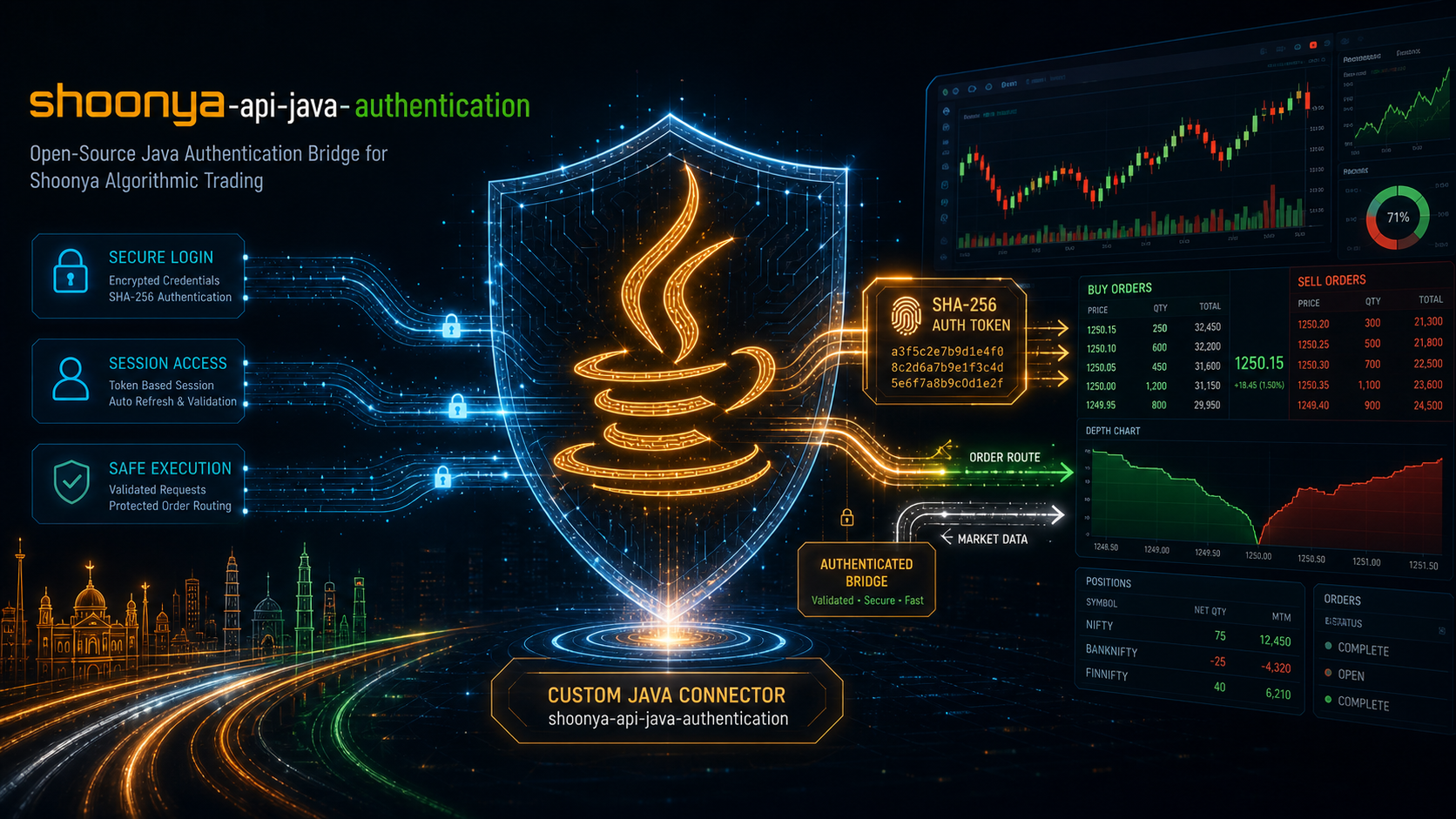 (Comprehensive Shoonya Finvasia Java API Architecture and Authentication Flow)
Introduction: Algorithmic Trading with Shoonya (Finvasia) in India
Algorithmic trading across Indian stock exchanges has evolved rapidly over recent years. Quantitative analysts, retail developers, and finance enthusiasts are increasingly transitioning from manual clicking to building programmatic execution engines that interface directly with the National Stock Exchange (NSE), Bombay Stock Exchange (BSE), and Multi Commodity Exchange (MCX).
Among Indian discount brokers, Shoonya by Finvasia holds a unique appeal: it offers a true zero-brokerage model across all trading segments—including Equity Delivery, Equity Intraday, Futures & Options (F&O), and Commodities—paired with 100% free API access.
However, integrating Java with Shoonya’s order management system (OMS) frequently catches both new and experienced developers off guard. Shifts mandated by the Securities and Exchange Board of India (SEBI) regarding strict Two-Factor Authentication (2FA), combined with Finvasia’s architectural upgrades, have permanently retired legacy authentication methods.
If you have encountered confusing 404 Not Found, 502 Bad Gateway, "Access Restricted for API Only Users", or immediate WebSocket drops with code=1008 (Policy Violation), you are not alone. These issues stem from outdated documentation and subtle protocol nuances.
In this comprehensive guide, we will break down the currently supported, official Shoonya authentication workflow in Java (JDK 11, 17, and 21+). We will cover:
- The Modern API Architecture: Which endpoints are active and why legacy routes fail.
- Minimal Static Credentials: The exact 3 properties required and why application code no longer needs to store passwords or TOTP secret seeds.
-
Resolving IPv6 Conflicts: Diagnosing and permanently fixing
INVALID_IPand"Access Restricted"rejections caused by Windows dual-stack networking. -
The Official 3-Step OAuth 2.0
GenAcsTokFlow: Generating authorization codes, computing SHA-256 checksums, and performing HTTP token exchanges. -
Live WebSocket Market Data Streaming: Connecting to
NorenWSAPI, sending the critical"accesstoken"handshake packet, and avoiding theNorenWSTPsilent trap. - End-to-End Java Bootstrap Code: A complete, self-contained Java application built from scratch using standard Java libraries.
- Troubleshooting Matrix & Trader Checklist: Rapid solutions for common production errors.
1. The Modern API Architecture: Active vs. Retired Endpoints
Shoonya’s backend engine operates on the Noren OMS gateway. Historically, brokers permitted clients to send automated HTTP POST requests with a raw password and an OTP directly to single-stage endpoints such as /QuickAuth. Under current security standards, direct password-based authentication endpoints have been completely decommissioned for retail API users.
Instead, Shoonya has transitioned to an OAuth 2.0 Authorization Code model (GenAcsTok). The trader authenticates once per day inside Shoonya’s official web browser portal, and the resulting authorization code is exchanged programmatically by your Java engine for a 24-hour master session token.
Here is the current operational status of Shoonya’s primary endpoints:
| Endpoint / Method | URL Path | Status | Purpose & Notes |
|---|---|---|---|
| Legacy QuickAuth | /NorenWST/QuickAuth | ❌ 404 Not Found | Permanently retired by Finvasia. |
| Legacy Web QuickAuth | /NorenWClientAPI/QuickAuth | ❌ 502 Bad Gateway | Decommissioned for automated API logins. |
| Modern Access Token Exchange | /NorenWClientAPI/GenAcsTok | ✅ Active & Supported | Official Production Gateway. Exchanges single-use auth codes for session tokens. |
| Live WebSocket Gateway | wss://api.shoonya.com/NorenWSAPI/ | ✅ Active & Supported |
Official Streaming Gateway. Real-time tick updates and order events (t="a" packet). |
| Legacy WebSocket Gateway | wss://api.shoonya.com/NorenWSTP/ | ❌ Silent Black Hole | Do Not Use. Swallows connection handshakes and fails to route live market ticks. |
2. Prerequisites & Minimal Static Credentials
Many older tutorials instruct developers to hardcode four or five different items into configuration files: account passwords, answers to security questions, mobile IMEIs, and raw Base32 2FA secret seeds.
Under the modern OAuth 2.0 protocol, your Java application requires only three static configuration properties:
# Minimal Static Configuration in application.properties
shoonya.user-id=FN84920
shoonya.app-key=FN84920_U
shoonya.secret-key=a1b2c3d4e5f67890123456789abcdef0123456789abcdef0123456789abcdef0
Understanding the Three Properties
-
User ID (
shoonya.user-id): Your unique trading account identifier assigned by Finvasia (e.g.,FN84920). -
App Key / Vendor Code (
shoonya.app-key): Your API client identifier created in the developer dashboard. By convention, this is typically your User ID with an appended suffix (e.g.,FN84920_U). -
Secret Key (
shoonya.secret-key): A 64-character hexadecimal string generated inside Shoonya’s PRISM portal.
[!NOTE] Why No Password or Java TOTP Generator in Application Code?
In the modern OAuth 2.0 architecture, the trader performs interactive authentication (entering password and phone authenticator TOTP) directly within Shoonya’s secure web portal (/OAuthlogin). The Java trading engine never sees, stores, or transmits your account password or TOTP secret seed. This separation of concerns significantly enhances security and ensures compliance with financial safety regulations.
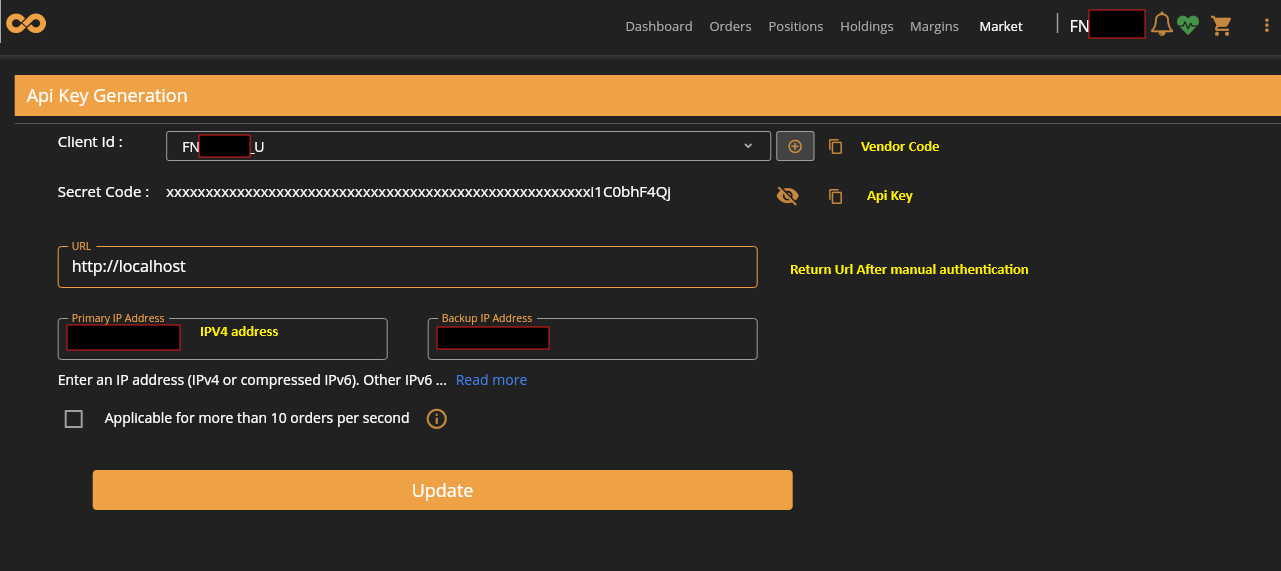 (Shoonya Trading Developer Portal showing App Key, Secret Key creation, and IP Whitelist input field)
Retrieving Your Credentials from Shoonya PRISM
- Log in to the official Shoonya PRISM Portal.
- Navigate to your Profile / Developer Settings / API Keys.
- Create your App Key and generate your Secret Key. Store the secret key in a secure password manager immediately—it will only be displayed once.
- Locate the IP Whitelist field. This brings us to the most common configuration hurdle developers face.
3. The Critical Gotcha: IPv6 Leaks & INVALID_IP Errors
One of the most frequent support questions from developers setting up Shoonya in Java is why their requests fail with either:
Shoonya GenAcsTok error: Invalid Input : INVALID_IP
or an error modal in the browser stating:
“Access Restricted for API Only Users”
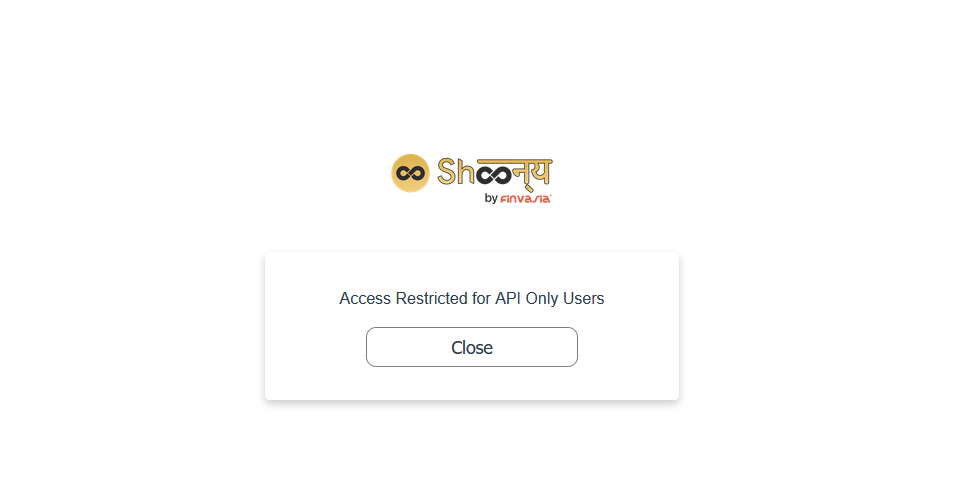 (Shoonya browser error modal displaying ‘Access Restricted for API Only Users’)
Even after verifying that their public IP address is saved in the PRISM dashboard, developers are often blocked. Why does this happen?
The Root Cause: Dual-Stack Networking & Dynamic Temporary IPv6
To understand this issue, consider how modern networking operates on your operating system and internet service provider (ISP):
-
IPv4 Whitelisting in PRISM: Shoonya requires your public IP address to be whitelisted for API access. The PRISM portal interface accepts a standard 32-bit IPv4 address (e.g.,
122.161.45.10). - Happy Eyeballs (RFC 8305): Major Indian ISPs (such as Jio Fiber, Airtel Xstream, and ACT Fibernet) and modern operating systems (Windows 10/11, macOS, Linux) provide dual-stack connectivity with IPv6 enabled by default. Under the Happy Eyeballs standard, web browsers and network sockets automatically attempt IPv6 connections before falling back to IPv4.
- Rotating Privacy Addresses (RFC 4941): For privacy protection, Windows periodically generates rotating Temporary IPv6 Addresses.
-
The Firewall Rejection: When your browser or Java runtime contacts
api.shoonya.com, traffic leaves your machine over an unlisted dynamic IPv6 address (2405:201:...). Shoonya’s edge proxy compares this IPv6 address against the whitelisted IPv4 address (122.161.45.10). Because they do not match, the firewall instantly drops the request.
The Three-Step Permanent Fix
To ensure consistent connectivity across both browser-based logins and your Java engine:
Step 1: Identify Your True Public IPv4
Run an IPv4-specific query in your terminal to see the exact IPv4 address your router exposes:
# Windows PowerShell / Command Prompt
curl.exe -4 https://ifconfig.me
Enter this exact IPv4 string into the IP Whitelist field in your Shoonya PRISM developer portal and save changes.
Step 2: Disable IPv6 on Your Active Network Adapter (Windows)
To prevent your browser from leaking temporary IPv6 addresses when requesting the initial authorization code:
- Press
Win + R, typencpa.cpl, and press Enter to open Network Connections. - Right-click your active connection (Wi-Fi or Ethernet) and select Properties.
- In the list of networking components, locate Internet Protocol Version 6 (TCP/IPv6) and uncheck the checkbox.
- Click OK to save. Your browser will now resolve and route all connections strictly via your whitelisted IPv4.
Step 3: Tell Java to Prefer IPv4 Sockets
When launching your Java application, instruct the Java Virtual Machine (JVM) to bypass dual-stack IPv6 probing and bind strictly to IPv4 by providing the system property -Djava.net.preferIPv4Stack=true:
java -Djava.net.preferIPv4Stack=true -jar target/algo-trader.jar
In an IDE (IntelliJ IDEA, Eclipse, or VS Code), add -Djava.net.preferIPv4Stack=true to your Run/Debug Configuration under VM options.
4. Step-by-Step Official OAuth 2.0 GenAcsTok Flow
Once network routing is aligned, you are ready to complete the official three-step OAuth authentication flow.
Step 1: Obtain the Single-Use Authorization code
Open your web browser (preferably in an Incognito / Private window to prevent stale session cookies) and navigate to the official consent URL:
https://api.shoonya.com/OAuthlogin/authorize/oauth?client_id=YOUR_APP_KEY
(For example: https://api.shoonya.com/OAuthlogin/authorize/oauth?client_id=FN84920_U)
- Log in with your Shoonya User ID, Password, and current 6-digit TOTP from your authenticator app.
- Upon successful authentication, Shoonya redirects your browser to a local loopback address:
https://127.0.0.1/?code=1d8a46ce-736f-43ab-8026-a54d28465c8f - Your browser may display a
"This site can't be reached"or"Connection refused"message—this is completely normal, because no web server needs to run on port 80/443. - Look at your browser’s address bar and copy the query string value immediately following
code=(e.g.,1d8a46ce-736f-43ab-8026-a54d28465c8f).
[!WARNING] Single-Use & Short TTL: The authorization code has a Time-To-Live (TTL) of approximately 2 to 3 minutes and can only be consumed once. If an exchange attempt fails due to an incorrect checksum or network timeout, you must refresh the consent URL and generate a fresh code.
Step 2: Construct the SHA-256 Checksum in Java
Shoonya validates the integrity of the token exchange request by requiring an accompanying cryptographic hash. The rule defined by Finvasia is to concatenate three strings in order without delimiters, spaces, or separators:
$$\text{Checksum} = \text{SHA256}(\text{appKey} + \text{secretKey} + \text{authCode})$$
Technical Breakdown for Beginners: How SHA-256 Works in Java
-
Standard Library: Java provides built-in support for standard cryptographic hash functions through the
java.security.MessageDigestclass. No third-party Apache Commons or BouncyCastle libraries are needed. -
Byte Encoding: Strings must be converted to raw bytes using a consistent character set—always use
StandardCharsets.UTF_8to prevent platform-specific encoding bugs on different operating systems. -
Hexadecimal Conversion:
MessageDigest.digest()produces a 32-byte binary array. Shoonya expects a lowercase 64-character hexadecimal representation. Each byte (ranging from-128to127) must be bitwise-masked with0xFFand formatted as two hexadecimal characters.
Here is a clean, production-grade utility method built from scratch:
package com.thoughtstopen.shoonya.auth;

import java.nio.charset.StandardCharsets;
import java.security.MessageDigest;
import java.security.NoSuchAlgorithmException;

public final class ShoonyaChecksumUtil {

    private ShoonyaChecksumUtil() {
        // Prevent instantiation of utility class
    }

    /**
     * Calculates the SHA-256 checksum required by Shoonya /GenAcsTok.
     *
     * @param appKey    Your registered App Key (e.g., FN84920_U)
     * @param secretKey Your 64-character PRISM secret key
     * @param authCode  The single-use authorization code from the OAuth redirect
     * @return Lowercase 64-character hexadecimal SHA-256 string
     */
    public static String calculateChecksum(String appKey, String secretKey, String authCode) {
        if (appKey == null || secretKey == null || authCode == null) {
            throw new IllegalArgumentException("App key, secret key, and auth code must not be null");
        }

        // Concatenate parameters with no separators
        String concatenatedInput = appKey.trim() + secretKey.trim() + authCode.trim();

        try {
            MessageDigest digest = MessageDigest.getInstance("SHA-256");
            byte[] hashBytes = digest.digest(concatenatedInput.getBytes(StandardCharsets.UTF_8));

            // Convert 32 bytes to 64 hex characters
            StringBuilder hexString = new StringBuilder(hashBytes.length * 2);
            for (byte b : hashBytes) {
                String hex = Integer.toHexString(0xFF & b);
                if (hex.length() == 1) {
                    hexString.append('0'); // Ensure leading zero for single-digit hex values
                }
                hexString.append(hex);
            }
            return hexString.toString();
        } catch (NoSuchAlgorithmException e) {
            throw new IllegalStateException("Standard SHA-256 digest algorithm not available in JVM", e);
        }
    }
}
Step 3: Send the Token Exchange Request (GenAcsTok)
Now we transmit an HTTP POST request to Shoonya’s token exchange gateway:
-
Target URL:
https://api.shoonya.com/NorenWClientAPI/GenAcsTok -
HTTP Method:
POST -
Content-Type:
application/x-www-form-urlencoded -
Form Parameter:
jData=<URL_ENCODED_JSON_STRING>
Understanding the Request Format
Shoonya’s Noren API uses a specific transport format: instead of accepting raw JSON in the HTTP request body (application/json), the server expects an HTML form-urlencoded body containing a single parameter named jData. The value of jData must be a URL-encoded JSON object containing your code and computed checksum.
jData=%7B%22code%22%3A%221d8a46ce-736f...%22%2C%22checksum%22%3A%2238fe283b...%22%7D
Here is how to perform this exchange using Java 11’s standard java.net.http.HttpClient:
package com.thoughtstopen.shoonya.auth;

import java.net.URI;
import java.net.URLEncoder;
import java.net.http.HttpClient;
import java.net.http.HttpRequest;
import java.net.http.HttpResponse;
import java.nio.charset.StandardCharsets;
import java.time.Duration;

public class ShoonyaTokenClient {

    private static final String GEN_ACS_TOK_URL = "https://api.shoonya.com/NorenWClientAPI/GenAcsTok";
    private final HttpClient httpClient;

    public ShoonyaTokenClient() {
        this.httpClient = HttpClient.newBuilder()
                .version(HttpClient.Version.HTTP_1_1)
                .connectTimeout(Duration.ofSeconds(10))
                .build();
    }

    /**
     * Exchanges the single-use auth code for a valid 24-hour master session token.
     *
     * @param appKey    Vendor Code (e.g. FN84920_U)
     * @param secretKey PRISM 64-char secret key
     * @param authCode  Single-use code from OAuth redirect
     * @return The raw JSON response string from Shoonya
     */
    public String exchangeAuthCode(String appKey, String secretKey, String authCode) throws Exception {
        String checksum = ShoonyaChecksumUtil.calculateChecksum(appKey, secretKey, authCode);

        // Construct JSON payload
        String innerJson = String.format("{\"code\":\"%s\",\"checksum\":\"%s\"}", authCode.trim(), checksum);

        // Encode as form parameter: jData=<URL_ENCODED_JSON>
        String formBody = "jData=" + URLEncoder.encode(innerJson, StandardCharsets.UTF_8);

        HttpRequest request = HttpRequest.newBuilder()
                .uri(URI.create(GEN_ACS_TOK_URL))
                .header("Content-Type", "application/x-www-form-urlencoded")
                .timeout(Duration.ofSeconds(15))
                .POST(HttpRequest.BodyPublishers.ofString(formBody))
                .build();

        HttpResponse<String> response = httpClient.send(request, HttpResponse.BodyHandlers.ofString());

        if (response.statusCode() != 200) {
            throw new RuntimeException("Unexpected HTTP status from Shoonya: " + response.statusCode());
        }

        return response.body();
    }
}
Successful Broker Response Payload:
{
  "stat": "Ok",
  "USERID": "FN84920",
  "actid": "FN84920",
  "uname": "ALGO TRADER",
  "susertoken": "457357ea9e6e01c52474045cb0f182ab0fc3752b242b293e8ae8ae615a8cf1bc",
  "lastaccesstime": "1724567890",
  "exarr": ["NSE", "BSE", "NFO", "MCX"],
  "spasswordreset": "N"
}
The Role of susertoken
The string returned in the "susertoken" property is your master session token. This token serves as your cryptographic bearer credential for all subsequent REST requests (placing orders, modifying orders, reading portfolio holdings) and WebSocket streaming connections.
The token remains active for up to 24 hours or until the broker’s daily post-market settlement cycle runs (around 11:30 PM to 6:30 AM IST).
5. The Official WebSocket Authentication Handshake
Once you have acquired your session token, you can open a bidirectional WebSocket to receive real-time tick-by-tick prices (Last Traded Price, Volume, Market Depth) and order execution status updates.
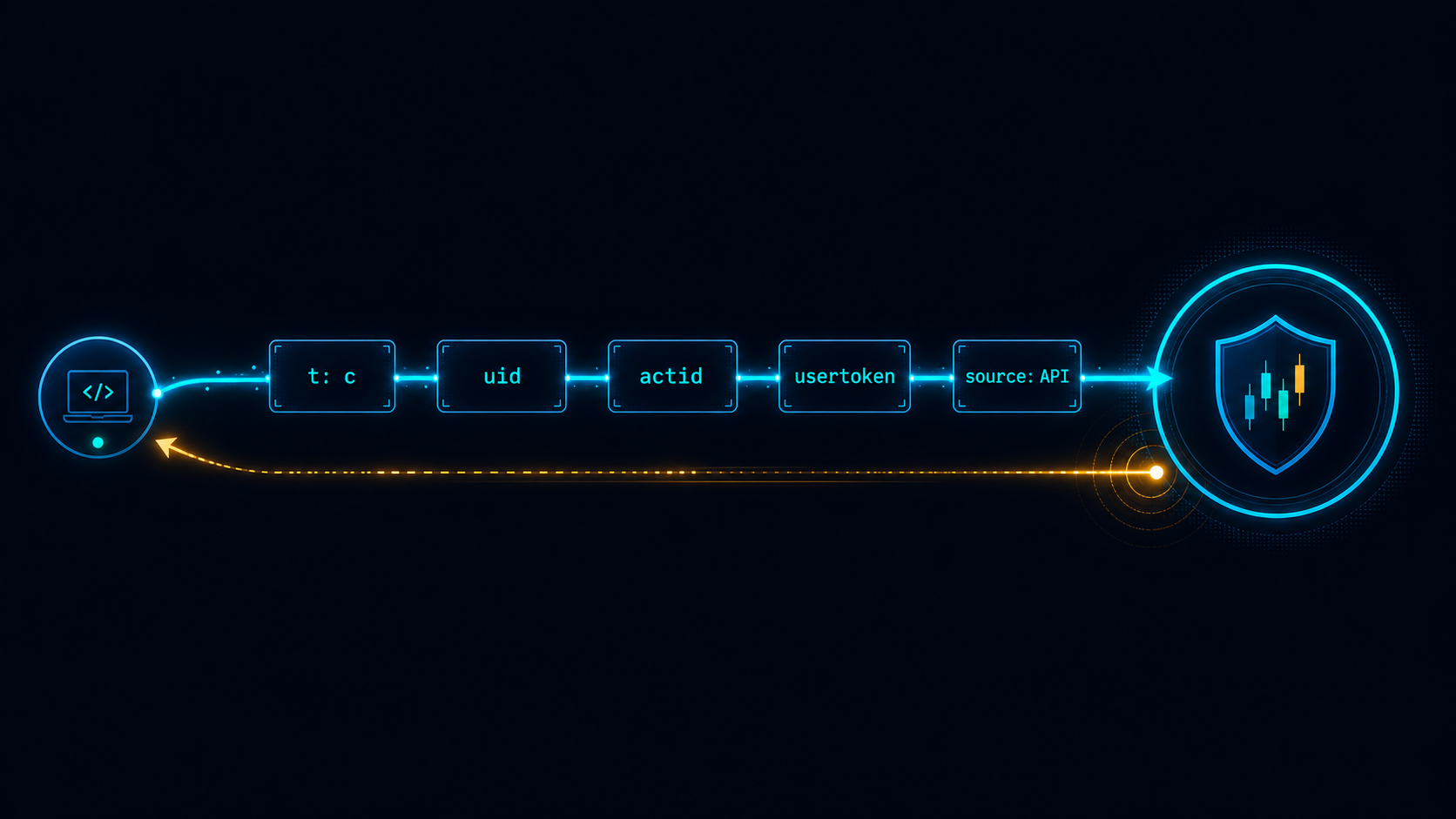 (Shoonya WebSocket Connect documentation showing packet parameters: t, uid, actid, and accesstoken)
1. The Authoritative Endpoint
-
Official Live Streaming URI:
wss://api.shoonya.com/NorenWSAPI/
[!CAUTION] Beware the
NorenWSTPSilent Black Hole:
In legacy SDKs and outdated posts, you may see mentions ofwss://api.shoonya.com/NorenWSTP/. Do not connect toNorenWSTP. In current broker infrastructure, this legacy socket accepts TCP handshakes but silently swallows authentication frames and never streams market ticks! Always route WebSocket connections exclusively towss://api.shoonya.com/NorenWSAPI/.
2. The Official Authentication Packet: The Critical "accesstoken" Key
Immediately upon establishing the WebSocket connection (onOpen), your client must transmit an authentication JSON frame within 2 seconds.
{
  "t": "a",
  "uid": "FN84920",
  "actid": "FN84920",
  "accesstoken": "457357ea9e6e01c52474045cb0f182ab0fc3752b242b293e8ae8ae615a8cf1bc",
  "source": "API"
}
| Field Name | Expected Value | Description |
|---|---|---|
"t" | "a" | Identifies this frame as an Authentication packet. |
"uid" | Account User ID (e.g. FN84920) | The trading account login ID. |
"actid" | Account User ID (e.g. FN84920) | Must match your trading account ID. |
"accesstoken" | Session Token String |
The susertoken received from /GenAcsTok. |
"source" | "API" | Identifies the client connection source. |
[!IMPORTANT] CRITICAL PROTOCOL KEY REQUIREMENT:
Notice that the JSON property name in the WebSocket payload is"accesstoken".
If you name this key"usertoken"or"susertoken"(as older documents suggested), Shoonya’s gateway will reject the frame with:{"t":"ck","s":"NOT_OK"}and abruptly close the socket with WebSocket Close Code
1008 (Policy Violation). Using"accesstoken"resolves this immediately.
3. Handling Server Confirmation Before Subscribing
A common race condition in algorithmic trading bots is sending symbol subscriptions immediately after dispatching the authentication frame. The broker socket requires verification before processing subscription requests.
-
Step A (Handshake Sent): Client sends
{"t": "a", ...}. -
Step B (Server Acknowledgment): Shoonya processes the token and replies with:
{"t":"ak", "s":"OK"}(or
{"t":"ck", "s":"OK"}) -
Step C (Dispatch Subscriptions): Only after verifying that
sequals"OK"should your client send touchline subscription packets:{ "t": "t", "k": "NSE|2885#NSE|26000" }(Here
2885is the token for Reliance Industries and26000is the Nifty 50 Index. Security tokens can be looked up in Shoonya’s downloadable daily scrip master files).
6. Complete Working Java Application (JDK 11+)
Here is a self-contained, working Java application demonstrating the entire workflow: prompting the developer for the morning authorization code, executing the SHA-256 checksum, calling /GenAcsTok, and establishing a live WebSocket connection to NorenWSAPI using pure standard Java libraries.
package com.thoughtstopen.shoonya;

import com.thoughtstopen.shoonya.auth.ShoonyaChecksumUtil;
import com.thoughtstopen.shoonya.auth.ShoonyaTokenClient;

import java.net.URI;
import java.net.http.HttpClient;
import java.net.http.WebSocket;
import java.nio.ByteBuffer;
import java.util.Scanner;
import java.util.concurrent.CompletionStage;
import java.util.concurrent.CountDownLatch;

/**
 * End-to-end bootstrap runner demonstrating Shoonya OAuth 2.0 authentication
 * and real-time WebSocket tick streaming in modern Java.
 */
public class ShoonyaAlgoBootstrap {

    // Replace with your credentials from Shoonya PRISM
    private static final String USER_ID = "FN84920";
    private static final String APP_KEY = "FN84920_U";
    private static final String SECRET_KEY = "YOUR_64_CHAR_PRISM_SECRET_KEY";

    private static final String WS_ENDPOINT = "wss://api.shoonya.com/NorenWSAPI/";

    public static void main(String[] args) throws Exception {
        System.out.println("===============================================================");
        System.out.println("        Shoonya (Finvasia) Java Authentication Bootstrap       ");
        System.out.println("===============================================================");

        // 1. Prompt developer for the single-use auth code from the browser redirect
        System.out.println("\n[Action Required] Open the following URL in an Incognito browser:");
        System.out.println("https://api.shoonya.com/OAuthlogin/authorize/oauth?client_id=" + APP_KEY);
        System.out.println("\nLog in with your User ID, Password, and 2FA TOTP.");
        System.out.println("After redirect, copy the 'code' parameter from the URL.");
        System.out.print("\nPaste authorization code here: ");

        Scanner scanner = new Scanner(System.in);
        String authCode = scanner.nextLine().trim();

        // 2. Exchange authorization code for master session token via /GenAcsTok
        System.out.println("\n[Step 1] Exchanging auth code for session token via /GenAcsTok...");
        ShoonyaTokenClient tokenClient = new ShoonyaTokenClient();
        String responseJson = tokenClient.exchangeAuthCode(APP_KEY, SECRET_KEY, authCode);

        System.out.println("Broker Response: " + responseJson);

        // Parse susertoken from response
        String sessionToken = extractJsonValue(responseJson, "susertoken");
        if (sessionToken == null || sessionToken.isBlank()) {
            String errorMsg = extractJsonValue(responseJson, "emsg");
            System.err.println("\n[Authentication Failed]: " + (errorMsg != null ? errorMsg : responseJson));
            return;
        }

        System.out.println("\n[Success] Master Session Token Acquired:");
        System.out.println(sessionToken);

        // 3. Connect to Shoonya WebSocket Gateway (NorenWSAPI)
        System.out.println("\n[Step 2] Establishing WebSocket connection to " + WS_ENDPOINT + "...");
        CountDownLatch keepAliveLatch = new CountDownLatch(1);

        HttpClient wsHttpClient = HttpClient.newHttpClient();
        wsHttpClient.newWebSocketBuilder()
                .buildAsync(URI.create(WS_ENDPOINT), new WebSocket.Listener() {

                    @Override
                    public void onOpen(WebSocket webSocket) {
                        System.out.println("[WebSocket Connected] Sending official authentication frame...");

                        // Protocol packet using 'accesstoken' key
                        String authPacket = String.format(
                                "{\"t\":\"a\",\"uid\":\"%s\",\"actid\":\"%s\",\"accesstoken\":\"%s\",\"source\":\"API\"}",
                                USER_ID, USER_ID, sessionToken
                        );

                        webSocket.sendText(authPacket, true);
                        WebSocket.Listener.super.onOpen(webSocket);
                    }

                    @Override
                    public CompletionStage<?> onText(WebSocket webSocket, CharSequence data, boolean last) {
                        String message = data.toString();
                        System.out.println("[WebSocket Inbound]: " + message);

                        // Verify server acknowledgment before subscribing to ticks
                        if ((message.contains("\"ak\"") || message.contains("\"ck\"")) && message.contains("\"OK\"")) {
                            System.out.println("\n[Auth Confirmed] Handshake accepted! Subscribing to Reliance & Nifty 50...");

                            // Subscribe to Touchline: RELIANCE (Token: 2885), NIFTY 50 (Token: 26000)
                            String subscriptionPacket = "{\"t\":\"t\",\"k\":\"NSE|2885#NSE|26000\"}";
                            webSocket.sendText(subscriptionPacket, true);
                        }

                        return WebSocket.Listener.super.onText(webSocket, data, last);
                    }

                    @Override
                    public CompletionStage<?> onClose(WebSocket webSocket, int statusCode, String reason) {
                        System.err.println("[WebSocket Closed] Code: " + statusCode + ", Reason: " + reason);
                        keepAliveLatch.countDown();
                        return WebSocket.Listener.super.onClose(webSocket, statusCode, reason);
                    }

                    @Override
                    public void onError(WebSocket webSocket, Throwable error) {
                        System.err.println("[WebSocket Error]: " + error.getMessage());
                        WebSocket.Listener.super.onError(webSocket, error);
                    }
                }).join();

        // Keep process running to monitor inbound market ticks
        System.out.println("\nListening for live market data. Press Ctrl + C to exit...\n");
        keepAliveLatch.await();
    }

    /**
     * Minimal helper method to parse a string value from simple JSON responses
     * without introducing external dependencies like Jackson or Gson.
     */
    private static String extractJsonValue(String json, String key) {
        String searchKey = "\"" + key + "\":\"";
        int startIndex = json.indexOf(searchKey);
        if (startIndex == -1) {
            return null;
        }
        startIndex += searchKey.length();
        int endIndex = json.indexOf("\"", startIndex);
        return (endIndex != -1) ? json.substring(startIndex, endIndex) : null;
    }
}
7. Production Troubleshooting Matrix & Trader Checklist
Troubleshooting Matrix
| Symptom / Error Message | Root Cause | Immediate Solution |
|---|---|---|
Invalid Input : INVALID_IP or Access Restricted for API Only Users
| Windows/ISP sent an outbound request over dynamic IPv6, which does not match your PRISM whitelist. | Query your IPv4 using curl.exe -4 ifconfig.me, whitelist it in PRISM, and disable IPv6 on your network adapter (ncpa.cpl). Always run with -Djava.net.preferIPv4Stack=true. |
{"stat":"Not_Ok","emsg":"Invalid code"} | The authorization code expired (TTL is ~2–3 minutes) or has already been consumed once. | Refresh the consent URL in an Incognito window and obtain a fresh authorization code. |
{"stat":"Not_Ok","emsg":"Invalid Checksum"} | The SHA-256 hash was calculated with incorrect ordering, spaces, or uppercase characters. | Ensure concatenation is strictly appKey.trim() + secretKey.trim() + authCode.trim() with no delimiters, and convert to lowercase hex. |
WebSocket closes with code=1008 (Policy Violation) | The authentication frame used "usertoken" or "susertoken" instead of "accesstoken". | Format the JSON payload strictly as: {"t":"a", "uid":"...", "actid":"...", "accesstoken":"...", "source":"API"}. |
| WebSocket connects but zero market ticks arrive | Connected to the inactive NorenWSTP endpoint, or dispatched subscriptions before server sent {"t":"ak","s":"OK"}. | Switch endpoint to wss://api.shoonya.com/NorenWSAPI/ and buffer subscriptions until the acknowledgment frame is received. |
502 Bad Gateway on connect late at night | Broker nightly batch settlement running between 11:30 PM and 6:30 AM IST. | Normal scheduled maintenance window. Configure connection retry policies with exponential backoff during off-market hours. |
Summary Checklist for Algorithmic Traders
-
Configure only the 3 static properties (
user-id,app-key,secret-key) in your application settings. -
Query your public IPv4 via
curl.exe -4 ifconfig.meand save it to the PRISM developer portal. -
Disable Windows IPv6 on your active adapter and pass
-Djava.net.preferIPv4Stack=trueto your JVM. -
Calculate the SHA-256 checksum by concatenating
appKey + secretKey + authCodewith zero spaces or separators. -
Transmit HTTP POST requests to
/NorenWClientAPI/GenAcsTokusingContent-Type: application/x-www-form-urlencodedwith form bodyjData=<URL_ENCODED_JSON>. -
Connect strictly to the authoritative WebSocket endpoint:
wss://api.shoonya.com/NorenWSAPI/. -
Transmit the initial WebSocket frame using
"accesstoken", and wait for server confirmation ({"t":"ak","s":"OK"}) before sending instrument subscriptions.
Conclusion & Next Steps
Integrating Java with Shoonya (Finvasia) gives algorithmic traders a zero-brokerage, high-throughput gateway into the Indian markets. By adopting the modern OAuth 2.0 GenAcsTok protocol, preventing IPv6 leaks, and adhering to the correct "accesstoken" WebSocket handshake specification, you eliminate unexpected connection drops and build an institutional-grade foundation for your execution models.
Check out our related algorithmic trading guides:
- Comprehensive Comparison of the Best Algo Trading APIs in India
- Shoonya Java WebSocket Market Data Streaming Guide
- Beginner’s Roadmap to Algorithmic Trading with Shoonya
If you run into any hurdles setting up your Shoonya integration or have questions about quantitative system design in Java, feel free to reach out via our Contact Us page.
If this guide helped you resolve your authentication roadblocks and saved you debugging hours, consider supporting my work via the Buy Me a Coffee link on the About page! ☕